Manga cleaner: clear the text out of every speech bubble
Upload manga, manhwa or comic pages and get them back with the bubbles empty and the artwork exactly as it was, ready for typesetting.
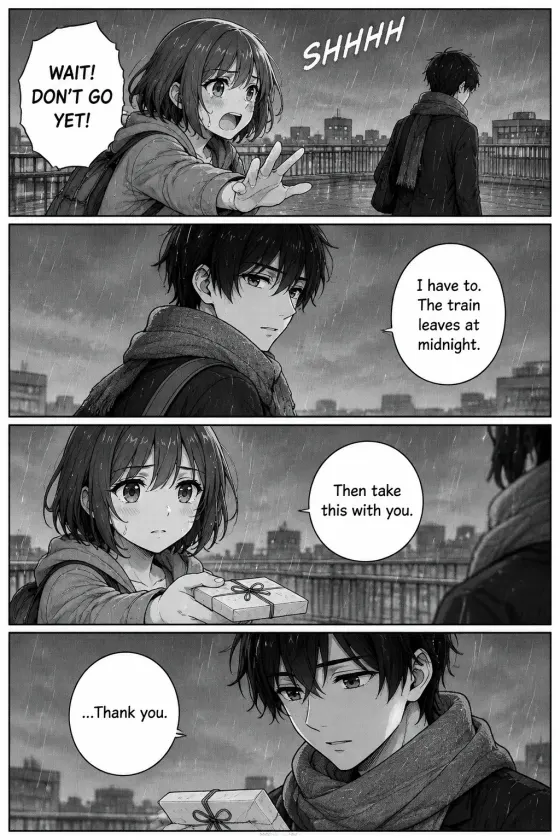
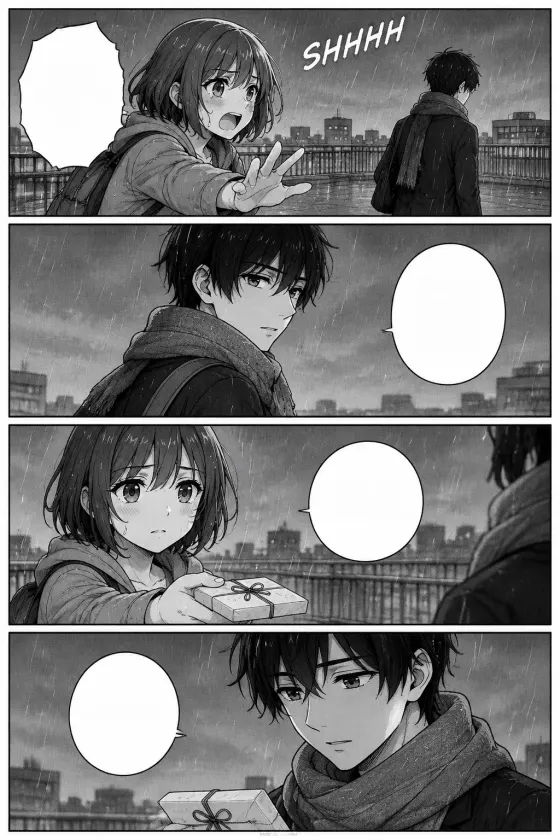
About 0.1 credits a page; you are only charged for pages that are read.
Your cleaned pages appear here
Upload pages or try a sample. Each page comes back with the bubbles empty and the art untouched.
Clean only pages you created, licensed or are authorised to translate. Acceptable use
Short answer
LayerPSD's manga cleaner reads each page once, finds every line of lettering in the speech bubbles and narration boxes, lifts it off and fills the spot with the bubble's own colour. The art is never redrawn, so line work and screentones outside the text stay pixel for pixel. It handles English and vertical Japanese lettering, takes up to 20 pages at a time and returns PNGs at the original size, for about 0.1 credits a page (credits from $0.071). Sound effects drawn over the art stay in place. The free credit you get with Google sign-in covers about 37 pages.
How to clean a manga page
- 1
Upload the pages
Drop in one page or a whole chapter: JPG, PNG or WebP, raw scans or digital pages.
- 2
Clean
Each page is read, and every line of lettering in a bubble or box is lifted off and filled with the bubble colour. About ten seconds a page.
- 3
Download and typeset
Compare before and after, then download each page as a PNG or the whole batch as a ZIP and letter your translation on top.
Before and after
Two original pages drawn for this test, cleaned by the tool as it runs on this page. Nothing was touched up afterwards.
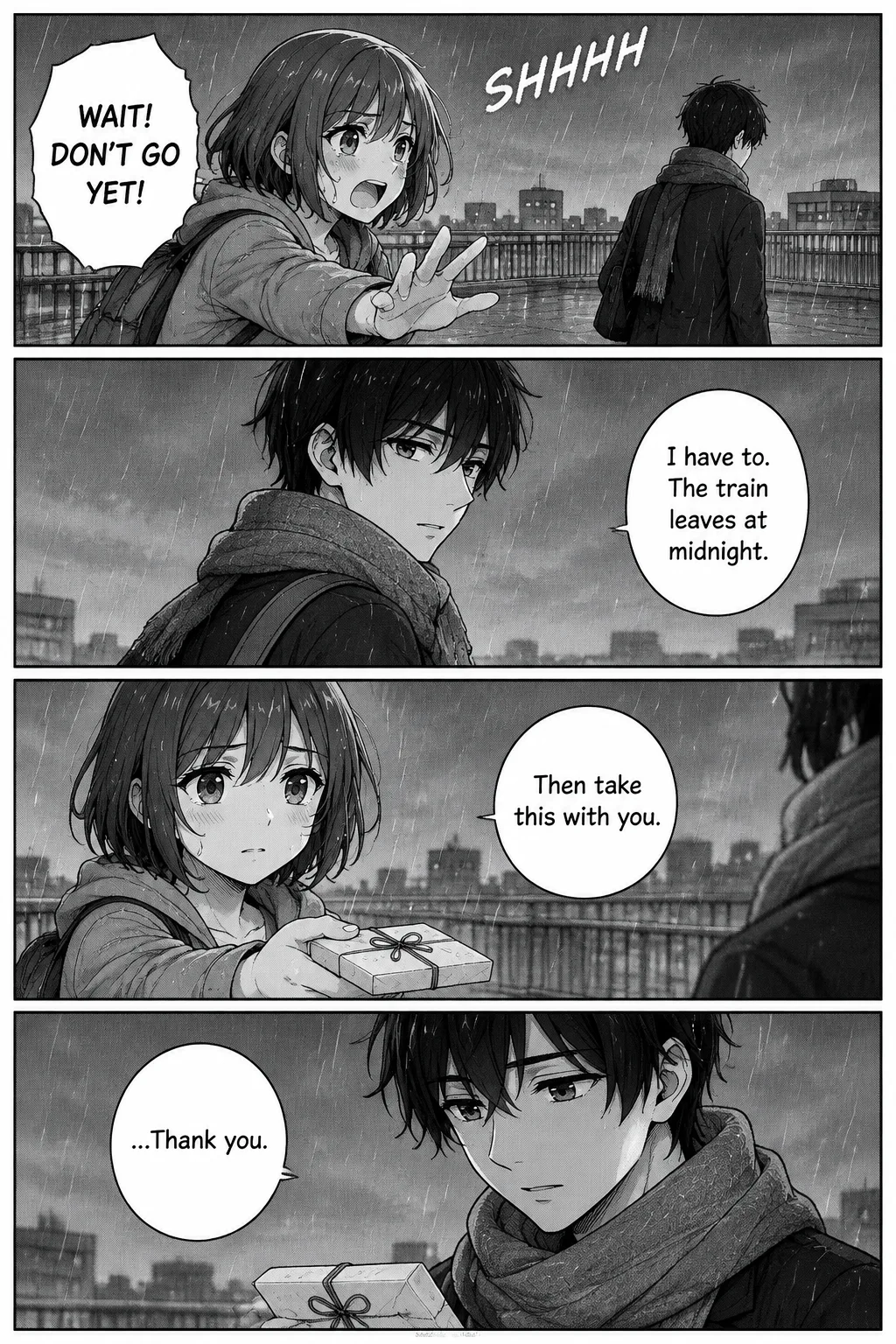 Before
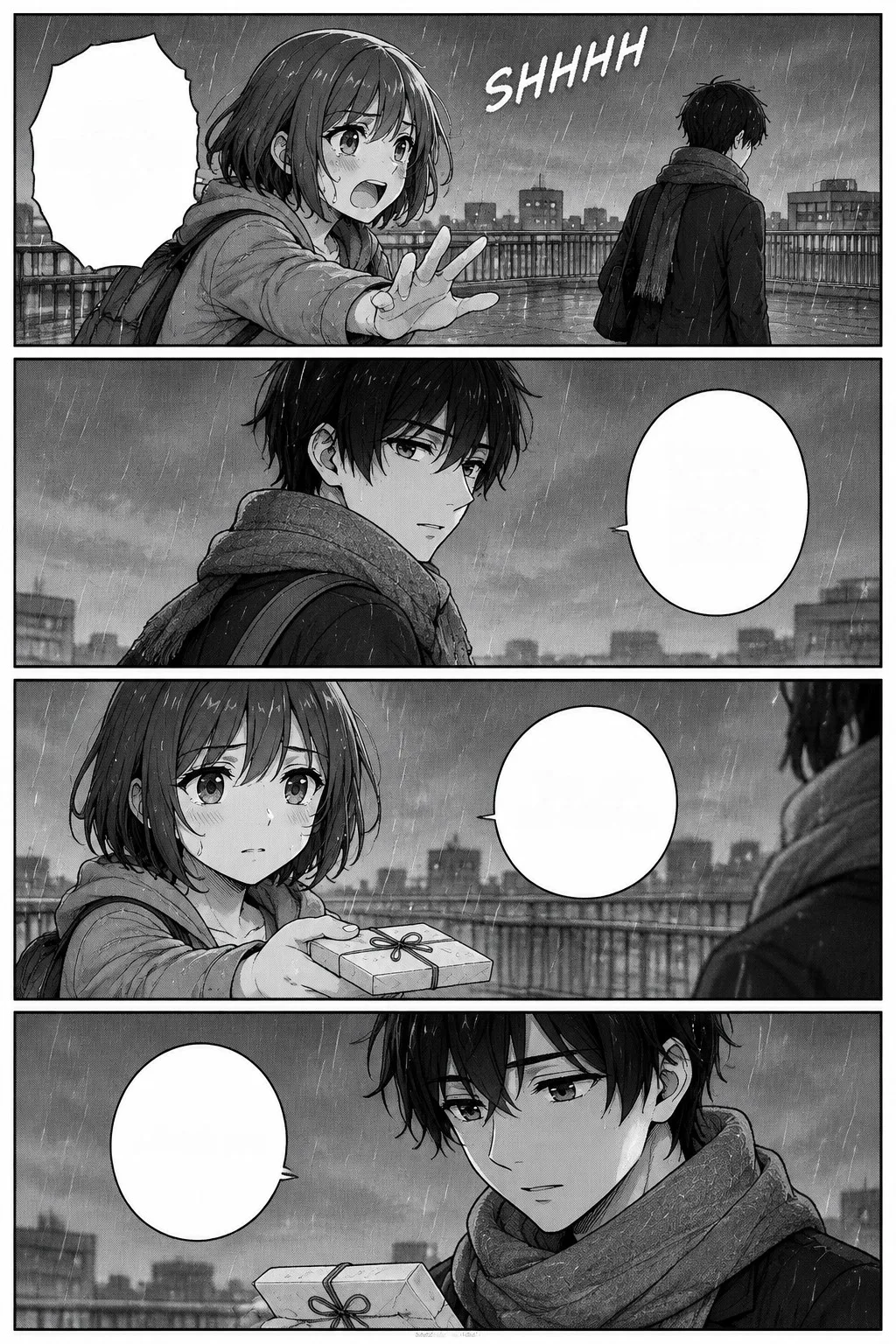 After
AfterEnglish, horizontal lettering
10 lines in four bubbles cleared. The SHHHH sound effect drawn into the rain stays.
1024×1536 · 2026-10-11
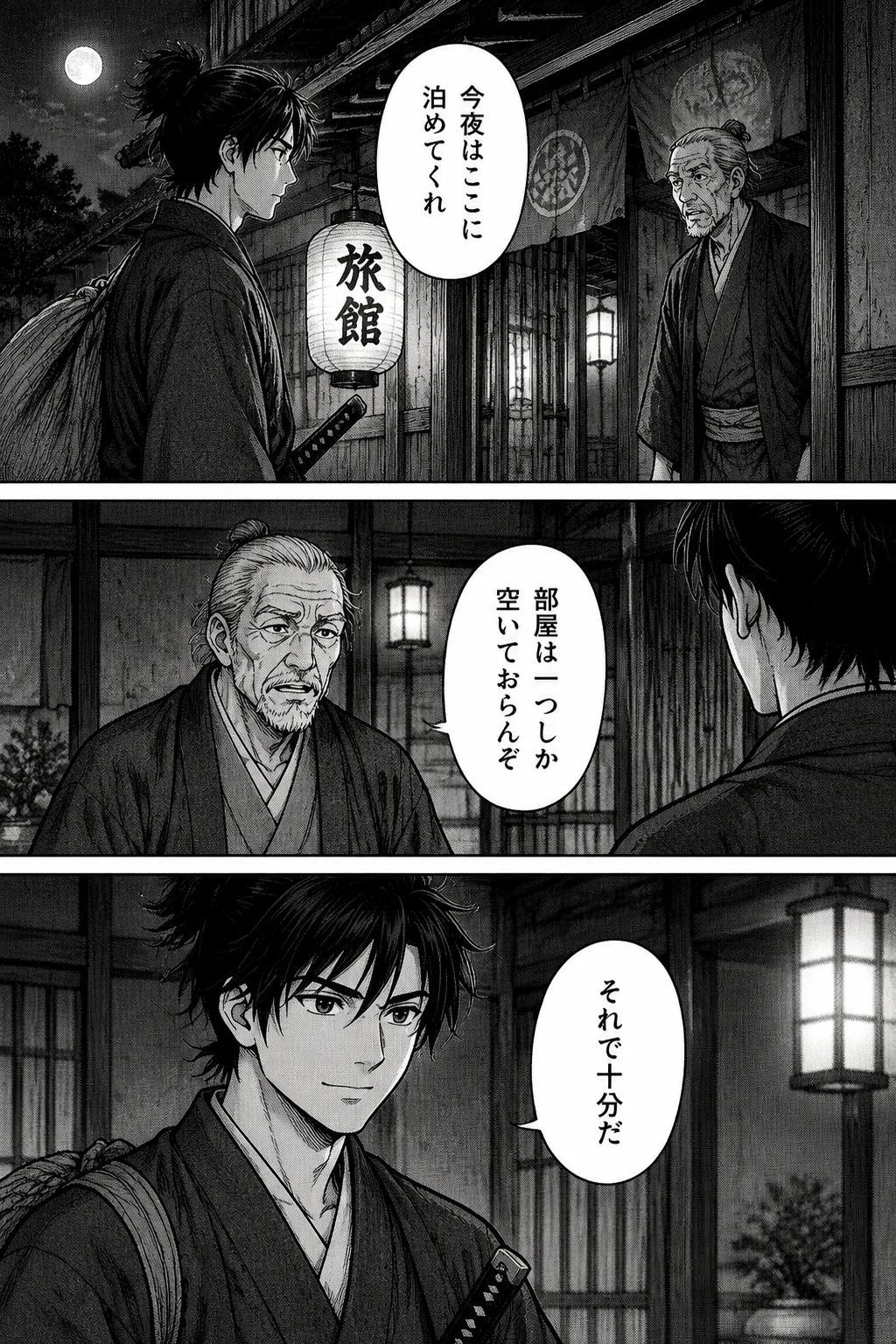 Before
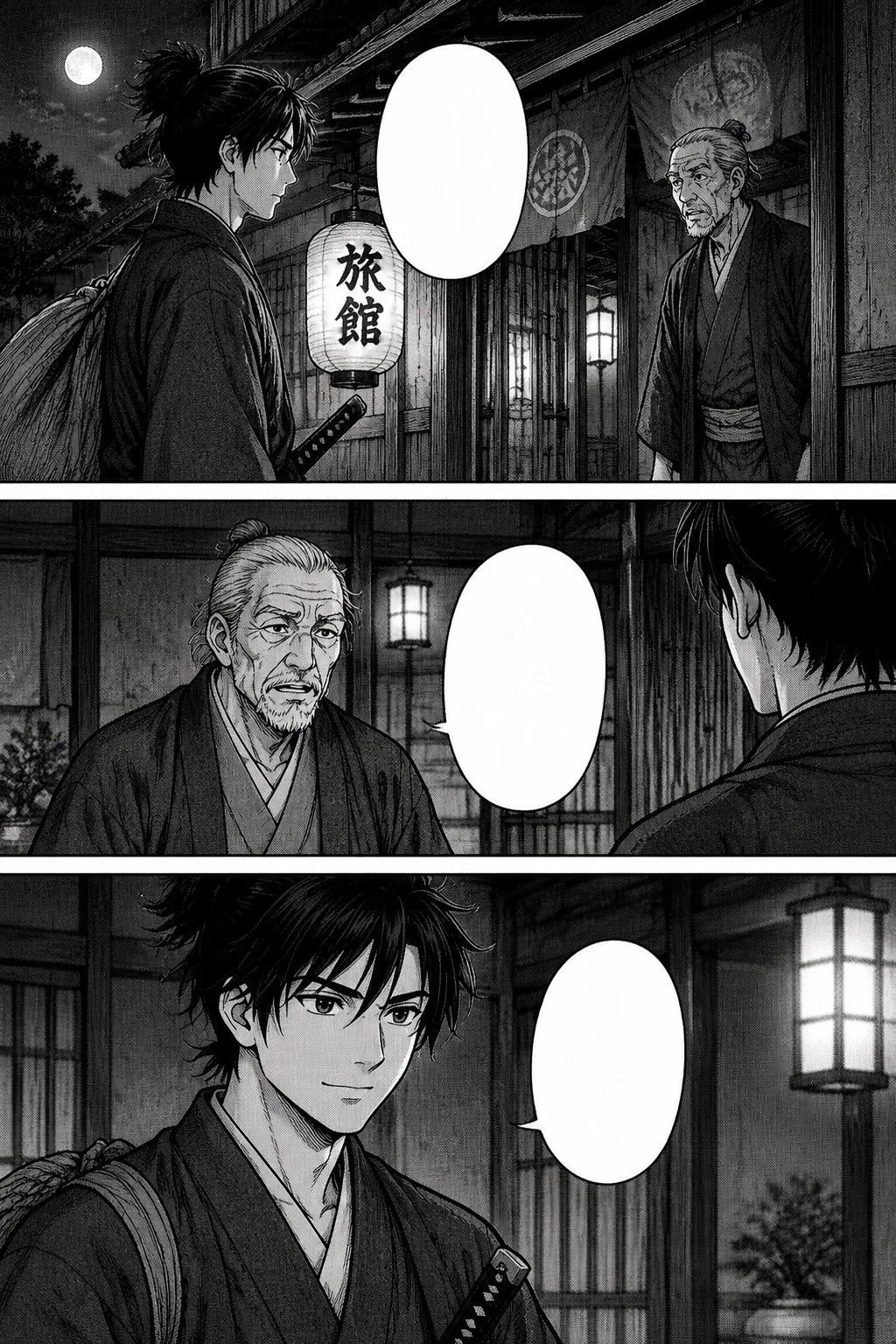 After
AfterJapanese raw, vertical lettering
5 vertical columns cleared from three bubbles. The 旅館 sign on the lantern is part of the art and stays.
1024×1536 · 2026-10-11
What a manga cleaner does
In a scanlation or localisation team, the cleaner prepares each page for the typesetter: the original lettering comes out of the speech bubbles, narration boxes and captions, and the bubbles are left blank so the translation can be lettered in. By hand that means selecting the text in Photoshop or GIMP, filling it with the bubble colour and checking the edges, page after page.
The part that eats the time is the plain bubbles, which are most of the text on most pages. That is what this tool does for you. The hard part, sound effects drawn across the artwork, still needs a redraw by hand or with an inpainting tool.
Why it does not redraw your page
Text lifted, not painted over
Most AI manga cleaners send the whole page to an image model and let it repaint the area under the text, which can shift lines, faces or tones. Here only the lettering pixels change; everything else is the original file.
A cost per page, not per image generation
One reading pass per page instead of an image generation, which is why a page costs a fraction of a credit.
Vertical Japanese
Columns of tategaki lettering are found and cleared like horizontal lines, so raws can go straight in.
What it does
Removes
Lettering inside speech bubbles, thought bubbles, narration boxes and captions on a flat fill
Keeps
All artwork, bubble outlines and tails, screentones outside the text, and lettering drawn over the art (SFX, signs)
Lettering
English and other Latin scripts, Japanese horizontal or vertical (tategaki)
Korean and Chinese are read the same way
Batch
Up to 20 pages per run, 25 MB each
download one PNG or all as a ZIP
Output
PNG at the size you uploaded
Price
About 0.1 credits a page on average
busy pages cost a little more. Free try: about 37 pages
When to use something else
Removing sound effects drawn over the art
They need the art behind them redrawn. Use a manual redraw, or split the page into layers on LayerPSD and repaint that part with Fix this layer.
Bubbles filled with screentone or a gradient
The fill is a single colour, so a patterned bubble comes back flat there. Check those pages and touch them up.
Long vertical webtoon strips
Cut the strip into pages first; a very tall image is read at too low a resolution to find small lettering.
More text tools
- Remove text from any image
Posters, ads and screenshots: text off, background repainted behind it.
- Change the words, keep the font
Retype a line in an image in the same lettering style.
- Split an image into layers
Every element on its own layer in a PSD, background filled in.
Questions
Short answers on splitting, export and billing. Anything else, email us and a person replies.
What is a manga cleaner?
The person, or the tool, that removes the original text from manga pages so a translation can be lettered in. It is the step between the raw scan and typesetting. This page is the tool: it clears the bubbles on up to 20 pages at once.
How do I remove text from manga speech bubbles?
Upload the pages here and press Clean. Every line of lettering in the bubbles and boxes is lifted off and filled with the bubble colour, and you download the clean pages as PNGs or a ZIP. It costs about 0.1 credits a page.
Does it work on Japanese raws with vertical text?
Yes. Vertical (tategaki) columns are found and cleared the same way as horizontal lines; our Japanese test page came back with all five columns gone and the art untouched.
Does it remove sound effects (SFX)?
No. Sound effects drawn across the artwork stay, because removing them means redrawing the art behind them. Clean them by hand, or split the page into layers here and repaint that area.
Is the manga cleaner free?
The free credit you get after Google sign-in covers about 37 pages. After that it is pay as you go: about 0.1 credits a page, with credits from $0.071 and no subscription.
Will it change my artwork?
Only the pixels of the lettering change. No image model repaints the page, so line art, faces and tones outside the text stay exactly as uploaded.
Can I clean a whole chapter?
Yes, up to 20 pages per run, each up to 25 MB. Pages are cleaned one after another and the whole batch downloads as one ZIP.
Does it work on manhwa, manhua and colour comics?
Yes, as long as the bubbles have a flat fill. Cut long webtoon strips into pages first so small lettering is still readable.