AI manga translator: translate manga pages and letter them back in
Upload raw pages in Japanese, Korean, Chinese or English. Every speech balloon is read, translated with the whole page in view, cleared and lettered back in, and each page also comes as a PSD whose translations are editable text.
Filled in as pages are read. Edit any line and later pages follow it; a line with no "=" stays as written. Saved in this browser, per language.
About 0.3 credits a page; you are only charged for pages that are read.
Your translated pages appear here
Upload pages or try a sample. Check each page before you share it: the translation is set in the original balloons and the art is not redrawn.
Translate only pages you created, licensed or are allowed to translate. Acceptable use
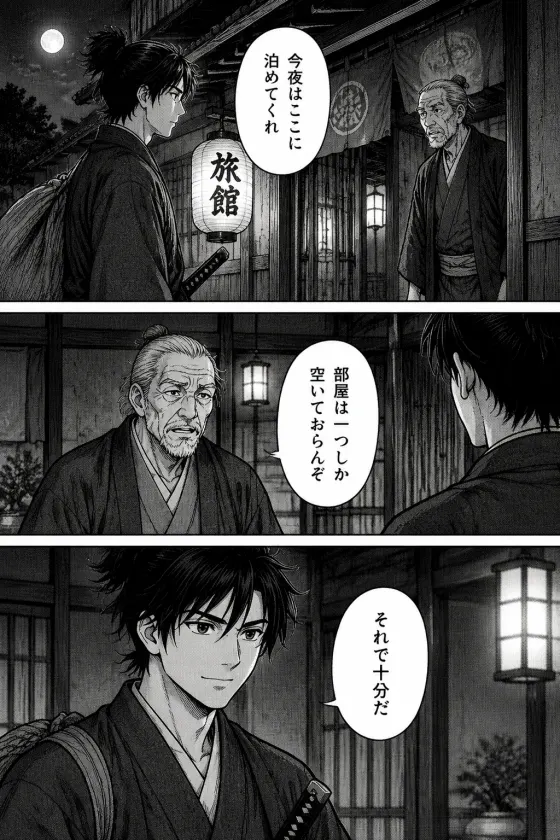
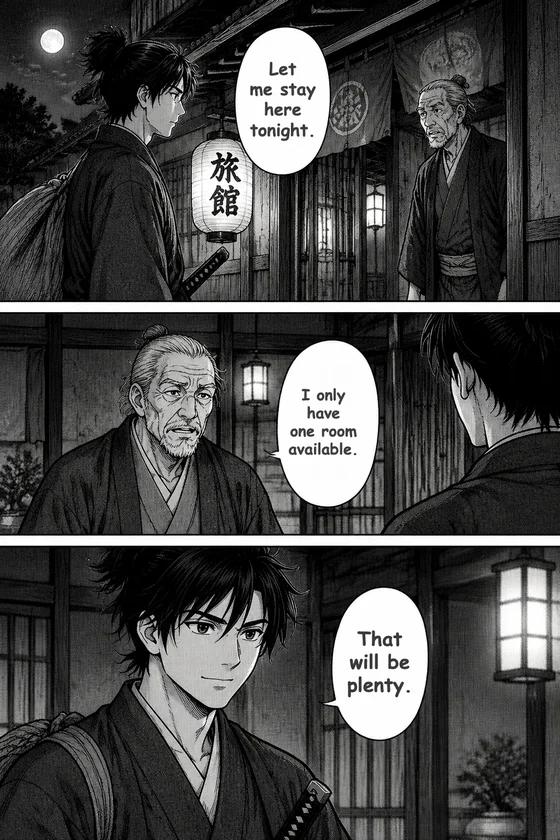
Short answer
LayerPSD's manga translator turns a raw page into a translated page in one step: it reads every balloon and caption on the page, translates them together so names and tone stay consistent, removes the original lettering without redrawing the art, and sets the translation inside each balloon. A whole chapter can go in as one ZIP or CBZ: pages are translated in order, each one told the story so far, and the names it finds go into a glossary that every later page follows and that you can edit. It reads Japanese (including vertical text), Korean, Chinese and English, and writes 10 languages. Each page downloads as a PNG, or as a PSD with the cleaned page, the original lettering on a hidden layer and every translation as editable text. Up to 60 pages a run, about 0.3 credits a page (credits from $0.071); the free credit for Gmail sign-ins covers about 14 pages. Sound effects and signs drawn into the art stay as they are.
How to translate a manga page
- 1
Upload the pages
JPG, PNG or WebP pages, or a whole chapter as one ZIP or CBZ. Pages are put in file-name order: a single page, a chapter, or a webtoon chapter as one long strip.
- 2
Pick the language and translate
Names you want kept as written go in the box. The glossary fills in with names as pages are read, and any line can be corrected. Each page is read, translated, cleaned and lettered in about 15 seconds.
- 3
Check and download
Compare with the original, then save PNGs, a ZIP of the chapter, or a PSD of a page to fix wording and fonts in Photoshop.
Before and after
Two original pages drawn for this test, translated by the tool as it runs on this page. Nothing was touched up afterwards.
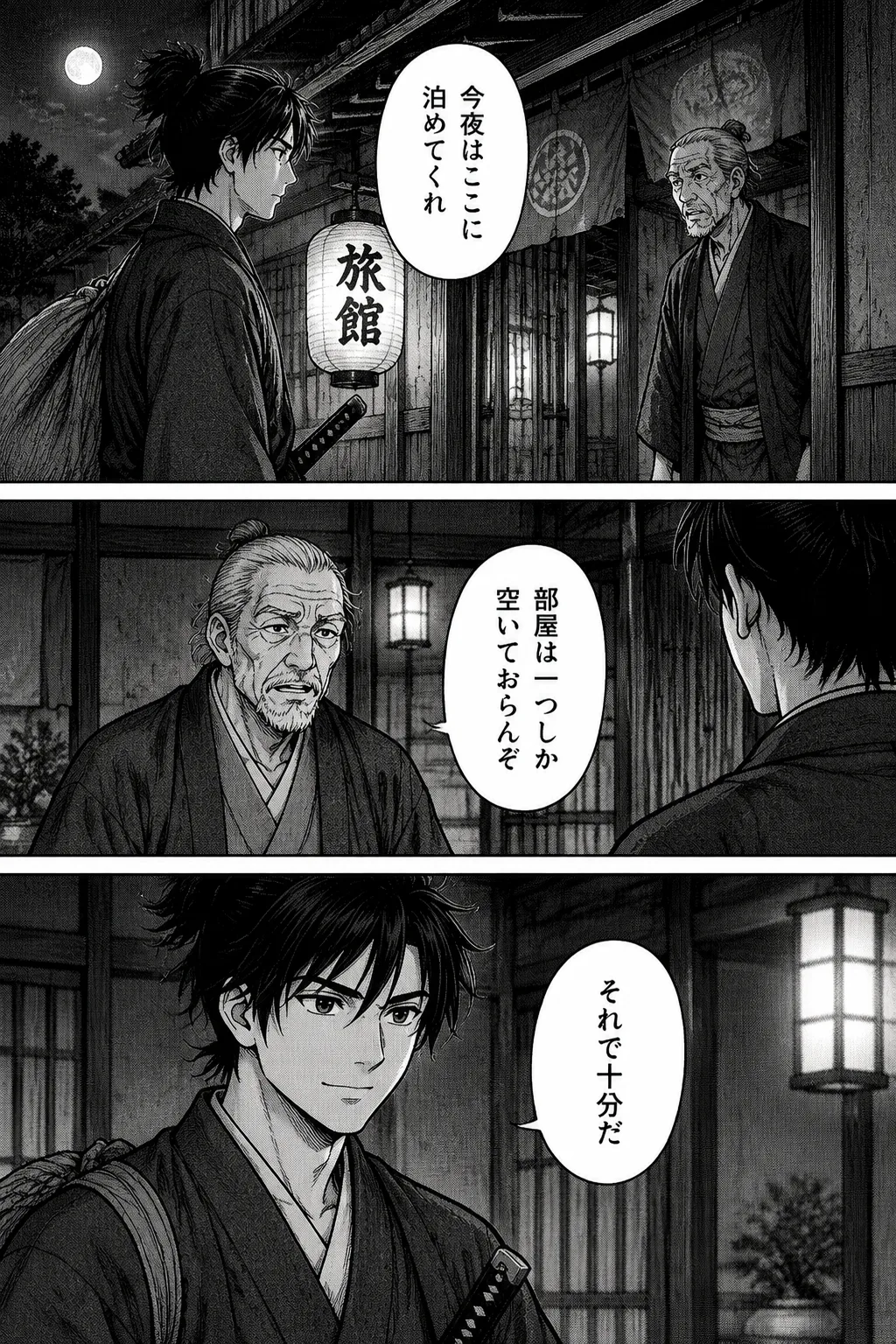 Original
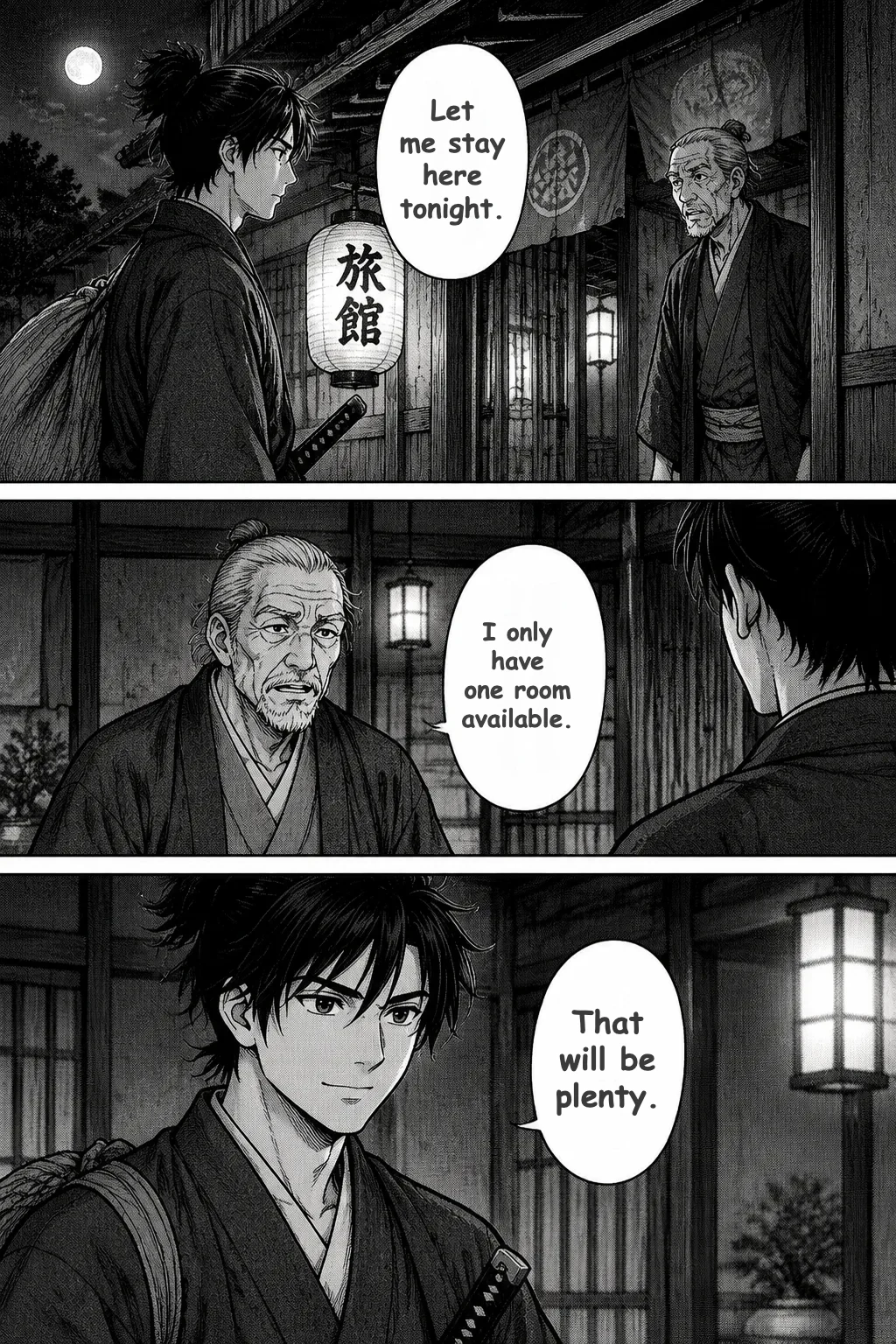 Translated
Japanese manga, vertical text, to English
Three balloons of vertical Japanese cleared and lettered in English. The 旅館 lantern sign is part of the scene and stays.
 Original
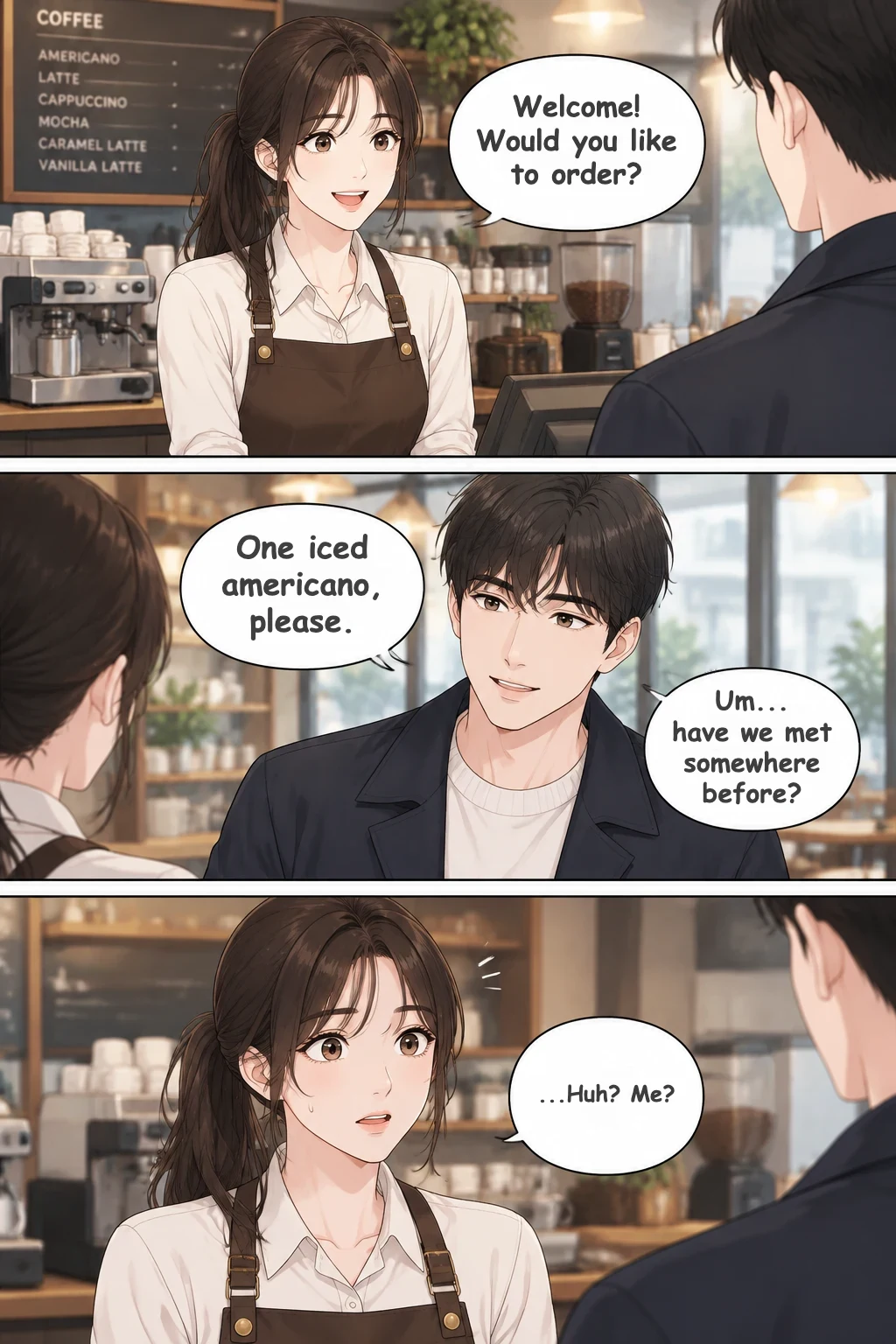 Translated
Korean webtoon to English
Four balloons translated and lettered in the same balloons. The café menu board is part of the art and stays.
How it differs from other manga translators
The art is not redrawn
The original lettering is lifted off with its own pixels and the spot is filled with the balloon colour. No image model repaints the page, so faces, line work and tones stay as drawn.
The whole page is translated at once
Balloons are translated together in reading order, so who is speaking, names and politeness carry from one balloon to the next instead of being translated line by line. Across a chapter, each page is also told the story so far and follows the same glossary of names.
A PSD with editable text
Every translation is a type layer over the cleaned page, with the original lettering kept on a hidden layer. Rewording a line or changing the font takes seconds in Photoshop.
What it does
Reads
Japanese horizontal and vertical (tategaki), Korean, Simplified and Traditional Chinese, English and other Latin-script comics
Writes
10 languages, lettered horizontally, centred in each balloon
Keeps
All artwork, balloon outlines and tails, sound effects and signs drawn into the scene
Downloads
PNG at the uploaded size, a ZIP of the chapter, or a PSD per page with editable text layers
Batch
A chapter at a time
up to 60 pages or one ZIP/CBZ, 25 MB a page
Long strips
Webtoon chapters as one image, up to 30,000 px tall, read in parts about one screen tall at full resolution
Consistency
A glossary of names and terms built as pages are read (editable, kept in your browser), plus the story so far and the previous page's last lines sent with each page
Price
About 0.3 credits a page
free try covers about 14 pages
When to use something else
Translating sound effects
Sound effects are drawn into the art, so they stay in the original language. Redraw them by hand, or split the page into layers here and repaint that part.
Vertical Japanese lettering in the translation
Translations are set horizontally, as in webtoons. For tategaki, download the PSD and switch the text layer to vertical type in Photoshop.
Balloons with a screentone or gradient fill
The cleared spot is filled with one colour, so check those balloons in the PSD and touch them up.
More manga tools
- Manga cleaner
Only clear the bubbles, for your own typesetting.
- Translate text in an image
Posters, ads and screenshots, redrawn in the same style.
- Split an image into layers
Every element on its own layer in a PSD, background filled in.
Questions
Short answers on splitting, export and billing. Anything else, email us and a person replies.
How do I translate a manga page?
Upload the page here, pick the language and press Translate. The balloons are read, translated, cleared and lettered back in; you download a PNG, a ZIP of the chapter or a PSD with editable text. About 0.3 credits a page.
Can it translate Japanese raws with vertical text?
Yes. Vertical (tategaki) balloons are read in reading order, right to left, and the translation is set horizontally in the same balloon.
Does it work on Korean manhwa and webtoons?
Yes, including a whole chapter as one long strip. A strip is read in parts about one screen tall, cut where a gap between panels leaves a blank band, so small lettering stays sharp at full resolution; each part costs like a page. Strips up to 30,000 px tall work, the most a PSD can hold.
Is the manga translator free?
The free credit for a Gmail sign-in covers about 14 pages. After that it is pay as you go, about 0.3 credits a page, with credits from $0.071 and no subscription.
Can I fix the translation afterwards?
Yes. Download the PSD: each translation is an editable text layer over the cleaned page, and the original lettering is on a hidden layer for checking.
Does it change the artwork?
Only the lettering pixels change. Sound effects, signs and everything outside the balloons stay exactly as uploaded.
Which languages can it translate into?
10: English, Korean, Japanese, Simplified and Traditional Chinese, Spanish, Portuguese, French, German and Italian.
How do I keep character names consistent?
Use the glossary under the language picker. As pages are read, each new name is added with the translation used (ケンジ = Kenji); change any line and every later page follows it. A line with no "=" stays exactly as written. The glossary is kept in your browser for the next chapter.
Can I translate a whole chapter at once?
Yes. Drop a ZIP or CBZ of the chapter, or select all its pages: they are sorted by file name (page 2 before page 11) and translated in order, up to 60 pages a run. Each page is sent with the story so far and the last lines of the page before, so speakers and tone carry over.